Automate the work your business repeats
Background Tasks Unleashed (BTU) turns routine back-office work into scheduled, observable automation inside Frappe and ERPNext — all configured from the Desk, with no code deploys.
If someone logs in every morning (or every month-end) to run the same report, send the same emails, or push the same documents, that job belongs in BTU.
What teams automate with BTU
-
Automatic invoicing
Generate customer invoices on a schedule and email them the moment they're ready.
-
Purchase orders to suppliers
Batch and dispatch POs to vendors overnight instead of clicking Send all day.
-
Scheduled reports
Build and deliver recurring reports to inboxes — daily, weekly, or month-end.
-
Payment collection
Chase overdue invoices with automated reminders and collection runs.
-
Data syncs & integrations
Poll APIs, push data to partners, and keep external systems in step on a cron.
-
Any recurring Python job
Point BTU at a function, give it a schedule, and get full logs plus email alerts.
See a real task — and its result
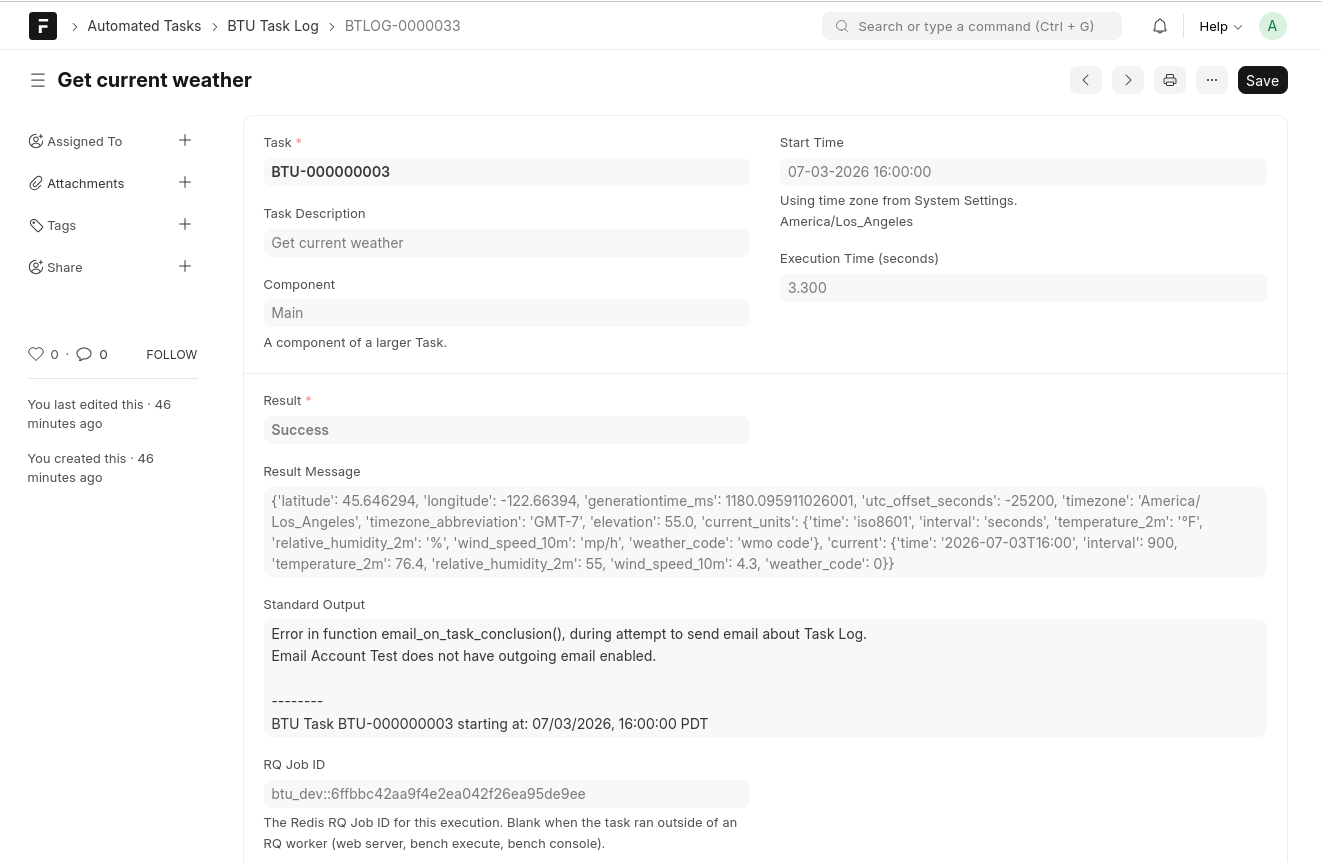
Every run records exactly what happened — the output it printed and the value it returned — in a BTU Task Log you can open right from the Desk:
Try it in 5 minutes
The fastest way to understand BTU is to run the built-in weather sample end to end:
How it works
- Define a BTU Task — a Python function path plus arguments.
- Give it a BTU Task Schedule — cron timing with a per-schedule time zone.
- The BTU Scheduler daemon fires the task at the right moment.
- An RQ worker runs it and writes a BTU Task Log with output, result, and timing.
See the mental model for the full picture.
Quick start
| I want to… | Start here |
|---|---|
| Run my first task | Your first task |
| Install BTU end-to-end | Installation |
| Understand the architecture | Mental model |
| Set up the scheduler daemon | BTU Scheduler |
| Configure email alerts | Email integration |
The two components
BTU ships as two open-source pieces that work together:
- BTU Frappe app (Datahenge/btu) — the Desk UI: Tasks, Schedules, Logs, Run Later, and Configuration.
- BTU Scheduler (Datahenge/btu_scheduler_py) — the cron engine that reads schedules and fires tasks at run time.
Both are required for recurring schedules. See the BTU Scheduler section for setup.
Requirements
- Frappe v15+ bench with Redis and RQ workers
- PostgreSQL or MariaDB (the scheduler reads the same site database)
- BTU Scheduler daemon running continuously (
btu-py run-daemon)
ERPNext is not required.