BTU Configuration
Singleton settings for BTU and scheduler integration.
Details tab
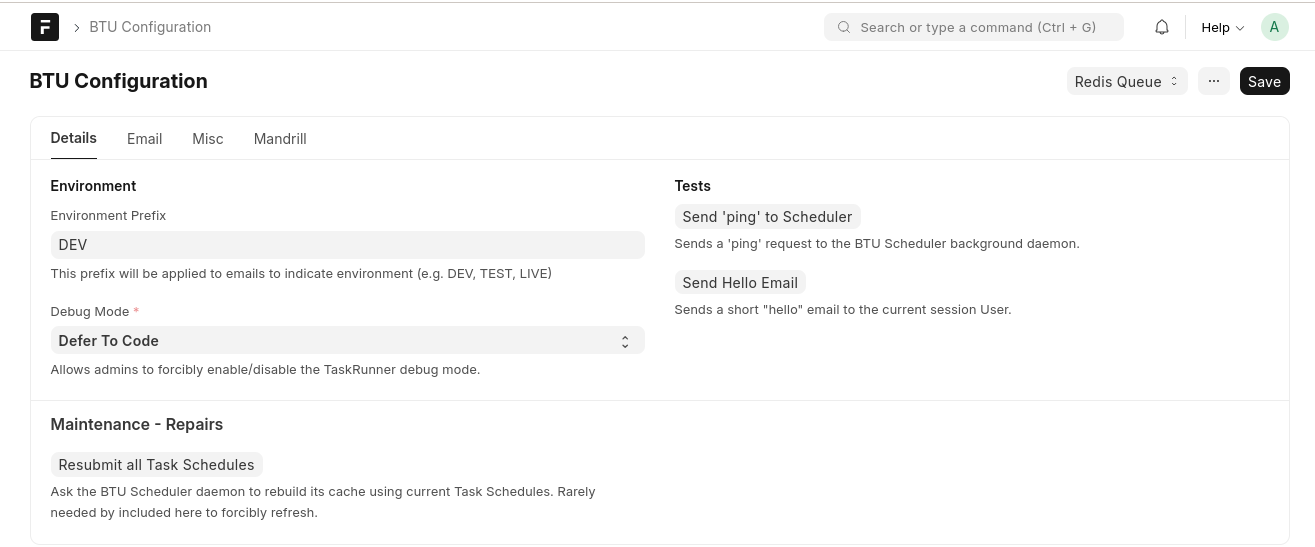 BTU Configuration — Details tab: environment prefix, debug mode, scheduler tests, and maintenance actions
Environment
| Field |
Purpose |
| Environment Prefix |
Prefix added to email subjects to indicate environment (e.g. DEV, TEST, LIVE) |
| Debug Mode |
Override TaskRunner debug verbosity: Defer To Code, Force On, or Force Off |
Tests
| Button |
Purpose |
| Send 'ping' to Scheduler |
Sends a ping request to the BTU Scheduler daemon via Redis RPC |
| Send Hello Email |
Sends a short test email to the current session user |
Maintenance — Repairs
| Button |
Purpose |
| Resubmit all Task Schedules |
Tells the scheduler daemon to rebuild its cache from current Task Schedules |
Email tab
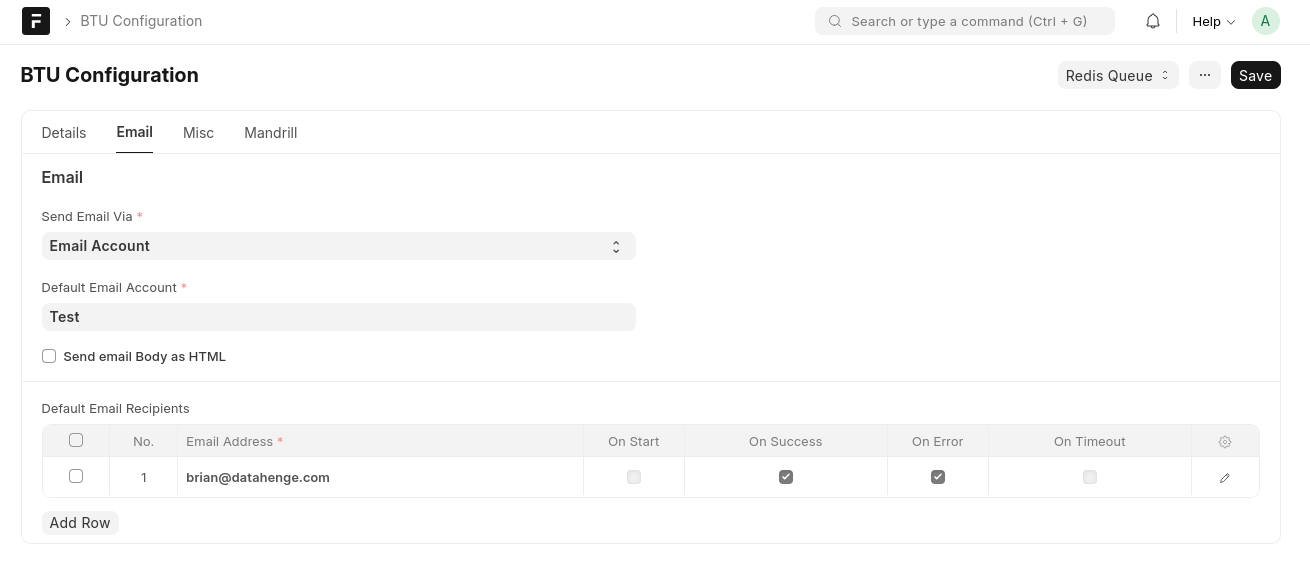 BTU Configuration — Email tab: provider, default account, and default recipients
| Field |
Purpose |
| Default Email Account |
Frappe Email Account used for outgoing notifications |
| Send email Body as HTML |
When checked, notification bodies are formatted as HTML |
| Default Email Recipients |
Table of addresses with per-event checkboxes: On Start, On Success, On Error, On Timeout |
Note
SMTP fields were removed in BTU 15.2. Configure outgoing mail through a Frappe Email Account instead.
Misc tab
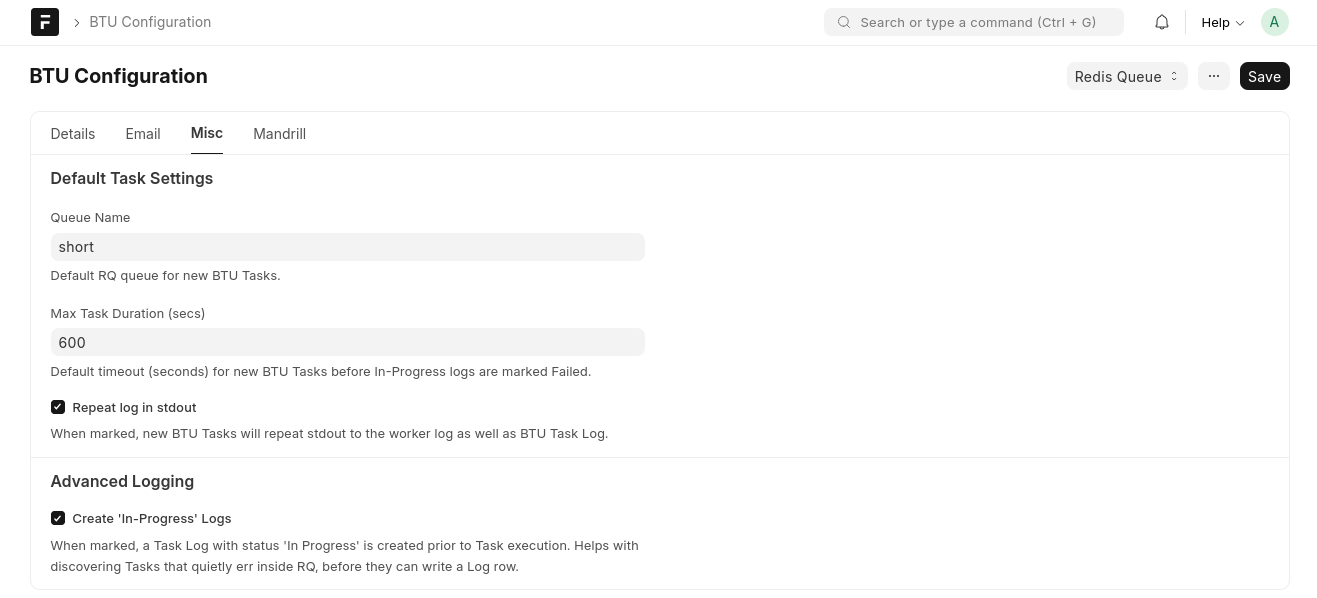 BTU Configuration — Misc tab: default task settings and advanced logging options
Default Task Settings
| Field |
Purpose |
| Queue Name |
Default RQ queue assigned to new BTU Tasks (e.g. short, default, long) |
| Max Task Duration (secs) |
Default timeout; In-Progress logs are marked Failed after this many seconds |
| Repeat log in stdout |
When checked, task stdout is routed to both the BTU Task Log and the worker stdout |
Advanced Logging
| Option |
Purpose |
| Create 'In-Progress' Logs |
Creates a Task Log with status In Progress before execution — useful for catching tasks that fail before they can write their own log row |
Documentation link
The form links to https://btu.datahenge.com/.