BTU Task Log
Immutable-ish record of one task execution.
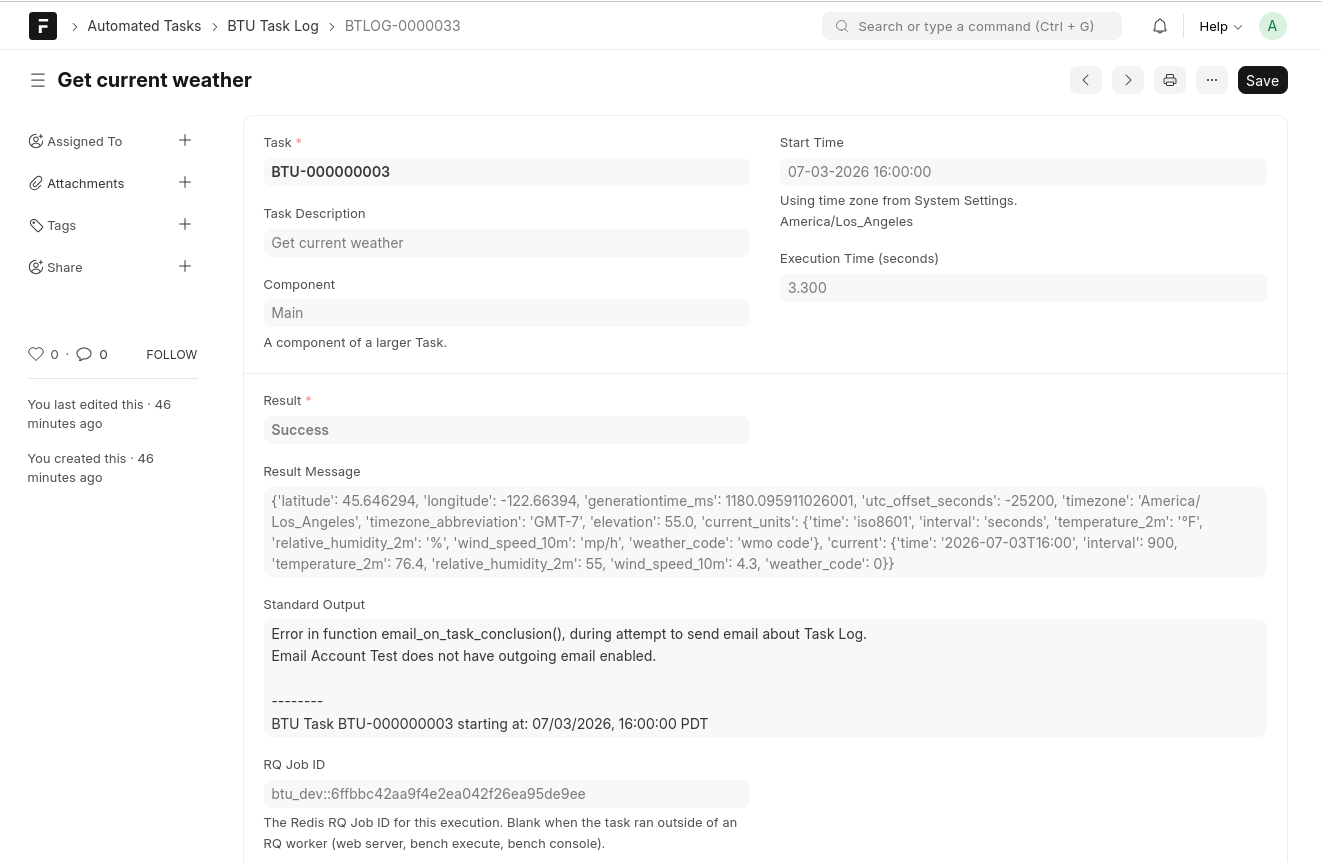
Fields
| Field | Purpose |
|---|---|
| Task | Link to the parent BTU Task |
| Task Description | Copied from the Task at execution time |
| Component | Component label when a task is split into named parts |
| Start Time | When execution began; timezone displayed below the timestamp |
| Execution Time (seconds) | Wall-clock duration of the function call |
| Result | Success, Failed, In Progress, or Cancelled |
| Result Message | Return value or exception traceback from the function |
| Standard Output | Captured stdout — including any BTU log lines written during execution |
| RQ Job ID | Redis Queue job identifier. Blank when the task ran outside an RQ worker (e.g. via bench execute or Run on Web Server). |
Usage
- Audit what ran and what it printed — without SSH access to the server
- Debug failures by reading the Result Message and Standard Output fields
- Use list/filter views to find all failed logs in a time range
Creation
Logs are created by task_runner.run_task_by_id for scheduled runs, on-demand runs (via the Run via RQ Worker button), and Run Later executions.
When Create 'In-Progress' Logs is enabled in BTU Configuration, a log row is written with status In Progress before the function is called. This helps surface tasks that crash before they can write their own completion row.