Your first task
This walkthrough runs a real BTU Task end to end in a few minutes. It uses the built-in
weather sample — btu.samples.weather.get_current_weather —
which needs no arguments and no external setup. By the end you'll see how BTU captures
both a task's printed output and its returned value.
Prerequisites
BTU installed on your bench (see Installation) with RQ workers running. You do not need the scheduler daemon for this tutorial — we run the task on demand.
1. Create the BTU Task
In the Desk, create a new BTU Task:
| Field | Value |
|---|---|
| Short Description | Get current weather |
| Type | Persistent |
| Path to Function or BTU-aware Class | btu.samples.weather.get_current_weather |
| Queue Name | short |
| Function Arguments | (leave blank — the sample defaults to Vancouver, WA) |
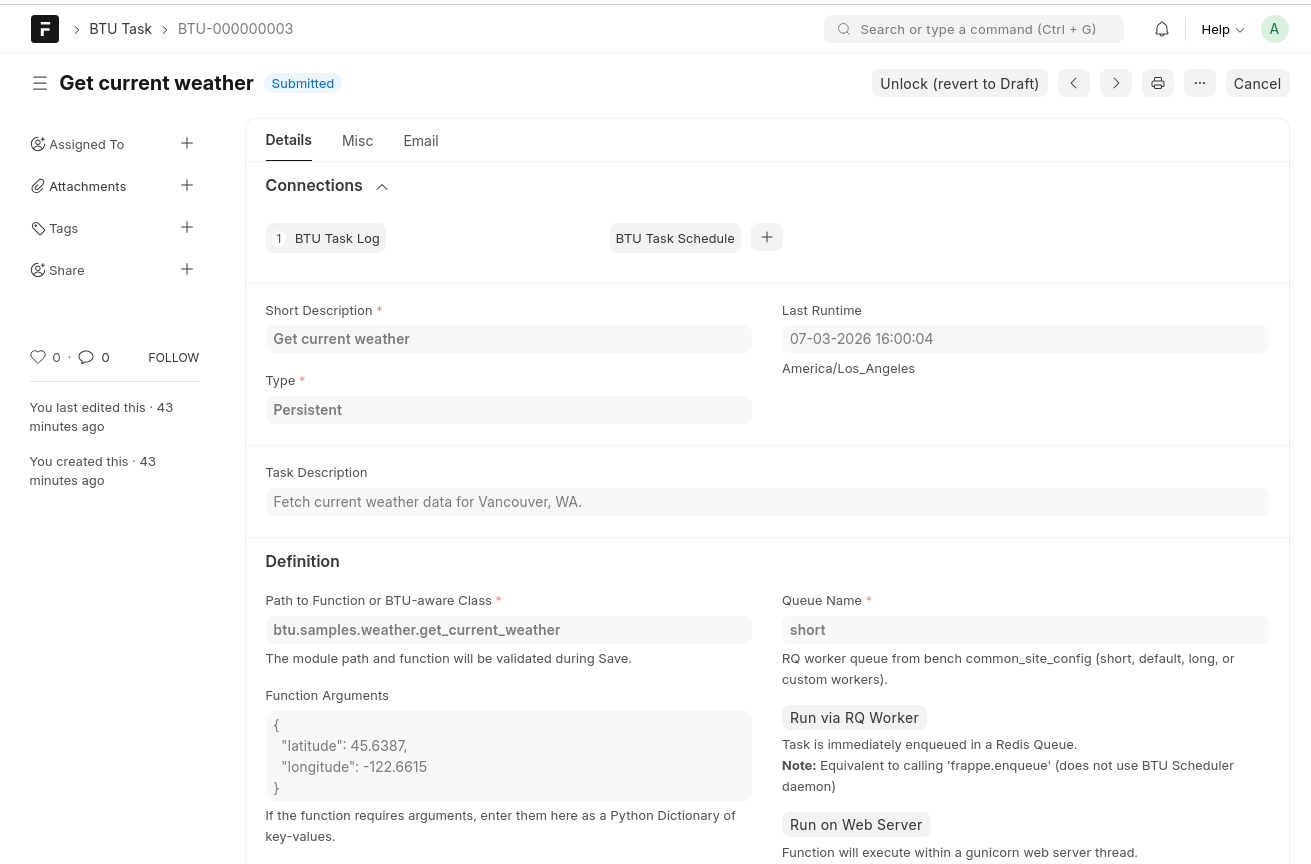
Save, then Submit the document. A BTU Task must be in Submitted state before it can run.
Want to pick your own city?
Enter arguments as a JSON object, e.g.
{"latitude": 40.7128, "longitude": -74.0060, "label": "New York, NY"}.
2. Run it
Click Run via RQ Worker. This immediately enqueues the task in Redis — the same path a scheduled run takes — and an RQ worker executes it. (The Run on Web Server button runs it synchronously instead; either works for this demo.)
3. Read the Task Log
Open the linked BTU Task Log from the Connections area at the top of the Task. This is where BTU records what happened:
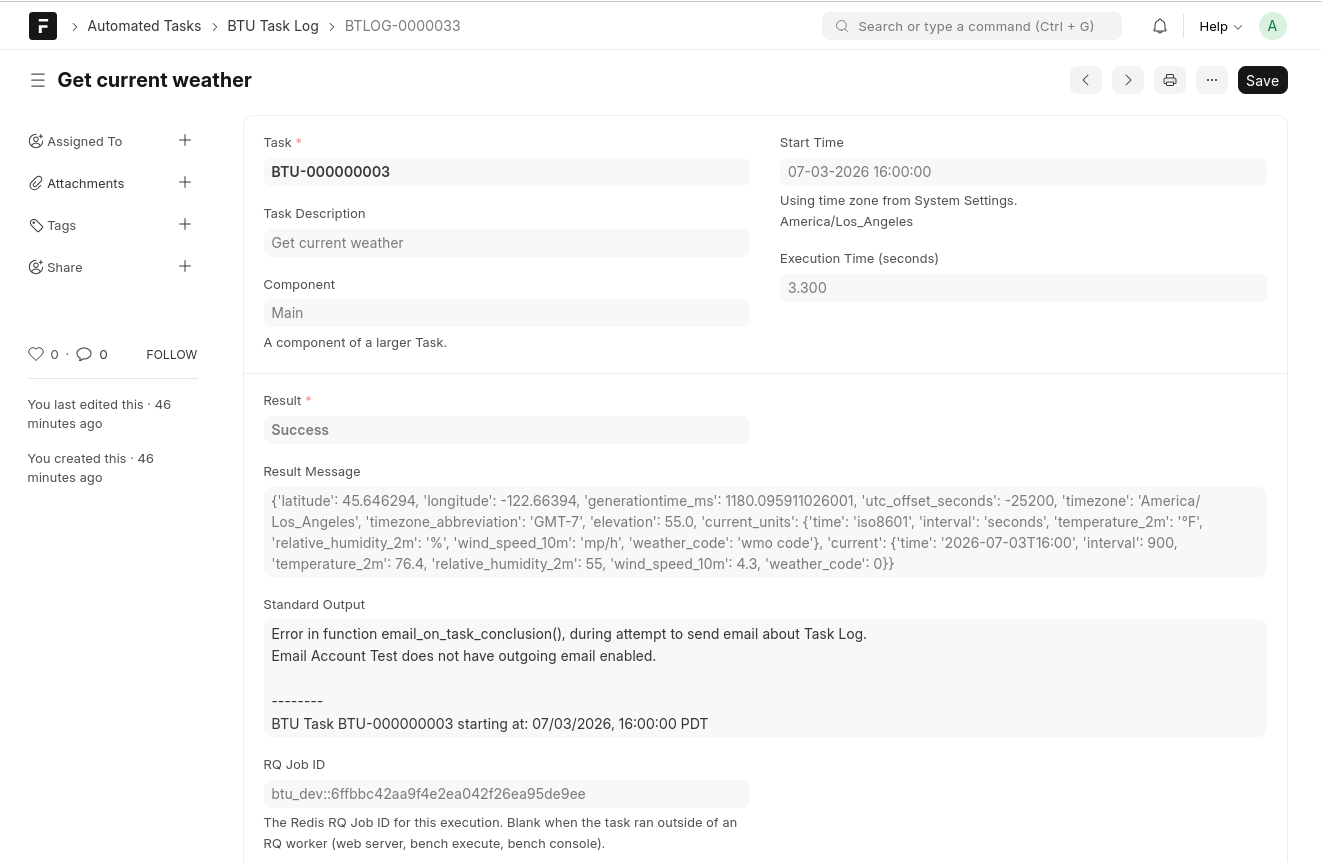
Notice the two output channels — this is the whole point of the sample:
| Task Log field | Comes from | In the sample |
|---|---|---|
| Standard Output | Anything the function print()s |
Current weather for Vancouver, WA: 76.4°F, clear sky, humidity 55%, wind 4.3 mph. |
| Result Message | Whatever the function returns |
{'location': 'Vancouver, WA', 'temperature_f': 76.4, ...} |
You also get Result (Success/Error), Execution Time, and the RQ Job ID for free. If the function had raised an exception, the full traceback would appear here instead.
4. Make it recurring
Running on demand is useful, but the real value is scheduling. Add a BTU Task Schedule to fire this task automatically — with a cron expression and a per-schedule time zone.
See the Recurring schedule with timezone recipe. Recurring schedules require the BTU Scheduler daemon to be running.
What you learned
- A BTU Task is just a Python function path plus arguments.
- Submit before running; Run via RQ Worker enqueues it like a scheduled run would.
- The BTU Task Log captures printed output and the return value, plus status and timing.
Next: Writing task functions for your own code, or the BTU Task guide for every field on the form.